Seattle permit sets, ready for SDCI.
Seattle reviews to its own codes and its own Director’s Rules, and SDCI issues corrections by discipline, in cycles. Here is what its reviewers look for, and how Pretiva drafts and pre-checks a Seattle set before it goes in.
The Seattle Residential Code, Seattle Building Code and Seattle Energy Code, which replaces the statewide WSEC-R. Cite the Seattle names on the cover and code sheet.
Calculated per SDCI’s Director’s Rule: midpoints of the enclosing rectangle, a table of elevations and lengths, and height dimensioned from the result.
FAR, parking and tree points from the Seattle Municipal Code, shown as calculations on the site plan and the same on the cover.
One response letter per review discipline, each comment answered with the fix and the sheet where it’s shown.
What SDCI reviewers commonly ask for
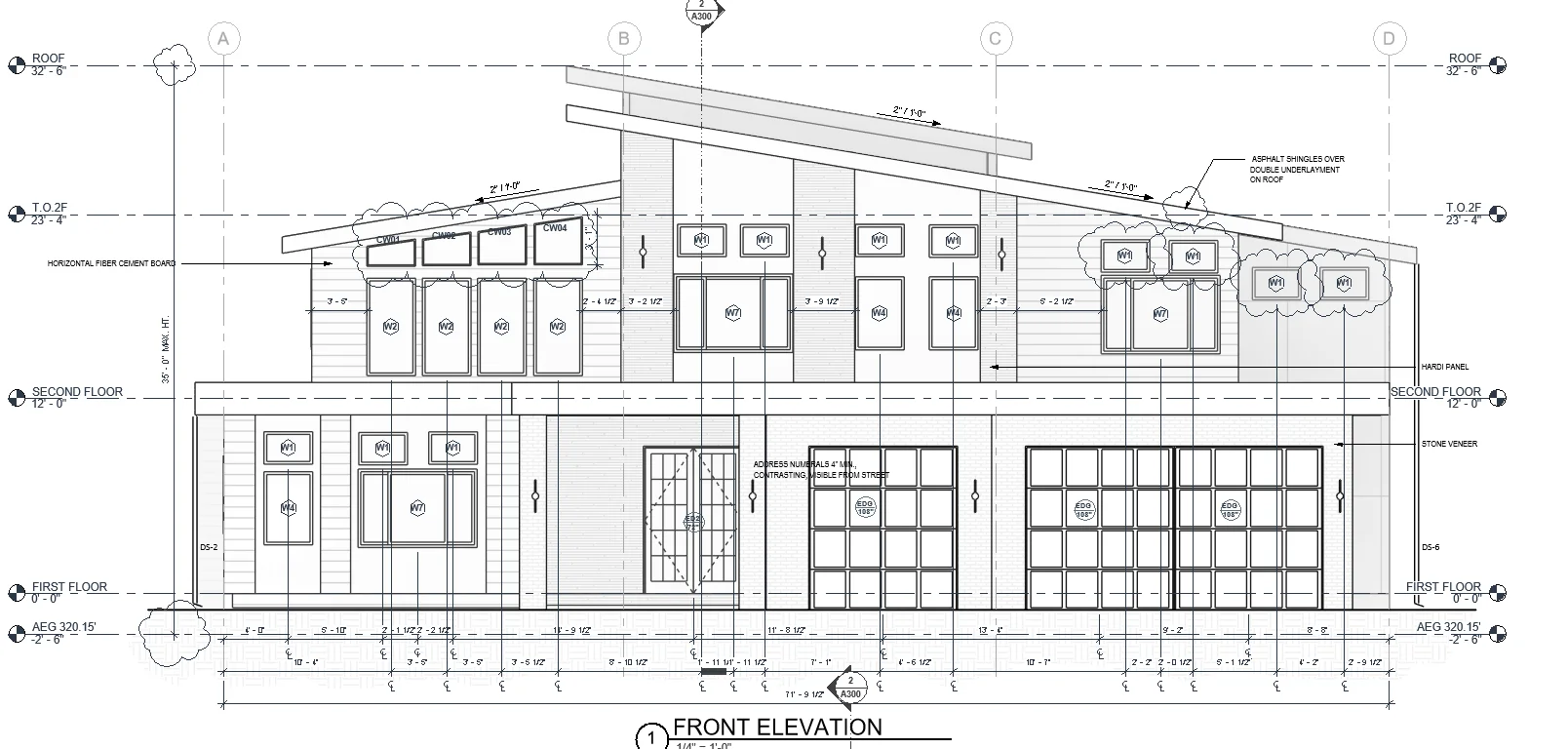
An average grade table (point, elevation, length, elevation × length, totals) with midpoint grades read from the survey, never from a stoop or step. A FAR line, maximum factor × lot area against the chargeable floor area after the work, the same on the zoning sheet and the cover. Parking calculated from SMC 23.54.015 with every stall and aisle dimensioned on the site plan. Required tree points in a table, every tree tagged. Doors, windows and eaves near a lot line dimensioned to the property line. HRV and exhaust terminations with their clearances on the elevations.
Answering a correction cycle
Name each round’s revision by its cycle and date the changed sheets. Cloud only what a comment changed, and take earlier cycles’ clouds off. Write one letter per discipline (zoning, building, energy, drainage), and send the stormwater and civil comments to your civil engineer the same day.
Review times
SDCI publishes its current intake and review times on its website. Check them before you promise a client a permit date; a set that goes in complete is the fastest way through.
How Pretiva handles Seattle
Pretiva drafts the set in your own Revit to Seattle’s codes and pre-checks every sheet against what SDCI asks for before it goes in. When corrections come back, it sorts them by discipline, drafts each change on the sheet with a revision cloud and drafts each letter for your team to check.
Questions
Which codes does Seattle use?
Its own amended codes: the Seattle Residential Code and Seattle Building Code, based on the 2021 IRC and IBC with Washington amendments, and the Seattle Energy Code. Confirm the current editions on SDCI’s codes page.
How is average grade calculated in Seattle?
Per SDCI’s Director’s Rule on average grade: draw the smallest rectangle around the building’s exterior walls, take the grade at the midpoint of each side from the survey, and weight each by its side length. Show the table on the drawings and dimension height from the result.
How do I respond to SDCI corrections?
One letter per review discipline, each comment answered with the change and the sheet it’s on. Cloud only the changes the comments asked for, and name the revision by cycle.
Who stamps the set?
Your team reviews every sheet, and a licensed architect stamps when the set needs one. Pretiva never stamps, signs or issues anything.
Try it for a month.
Month to month, cancel any time. Or start with a free set review.
Questions? Email support@pretiva.io or book a demo.