From the brief to the issued set.
Two of Drift Interior Architecture’s houses: one drafted for its building permit, one answering the city’s first round of comments. Six stops, about two minutes. Client names and addresses removed.
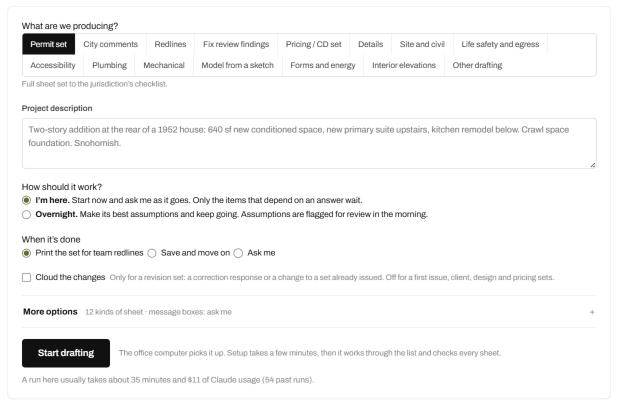
Describe the set, in a few lines.
Pick what you’re producing (a permit set, city comments, redlines, a pricing set) and describe the project the way you’d brief a drafter. Choose I’m here, or Overnight: it makes its best call and flags every assumption for the morning. (A screen from the app.)
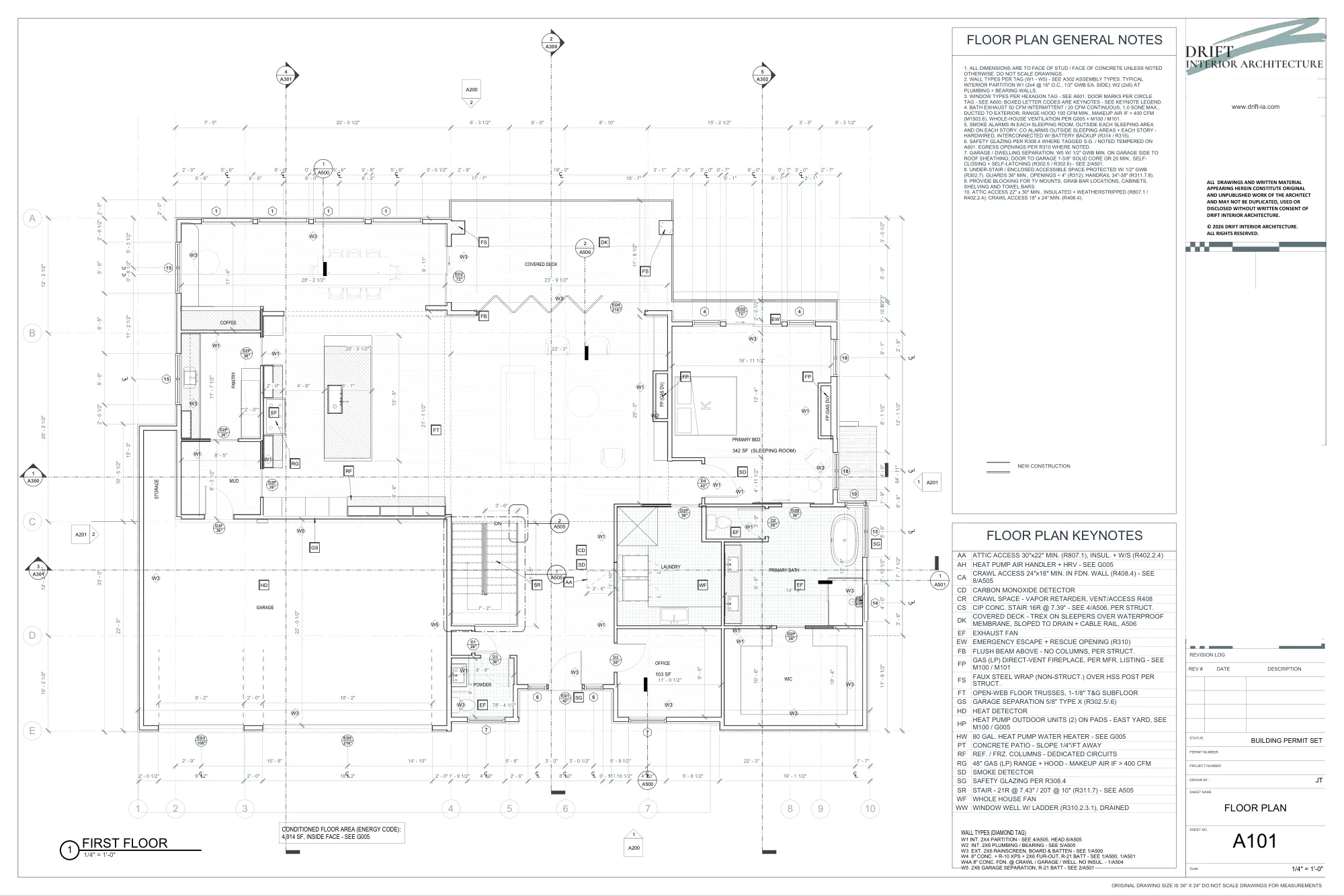
Drafted in your own Revit, to your office standard.
A101 from a real building permit set: dimensions, wall types, door and window tags, keynotes and general notes, drafted by Pretiva in the firm’s own Revit and template. Client name and address removed.
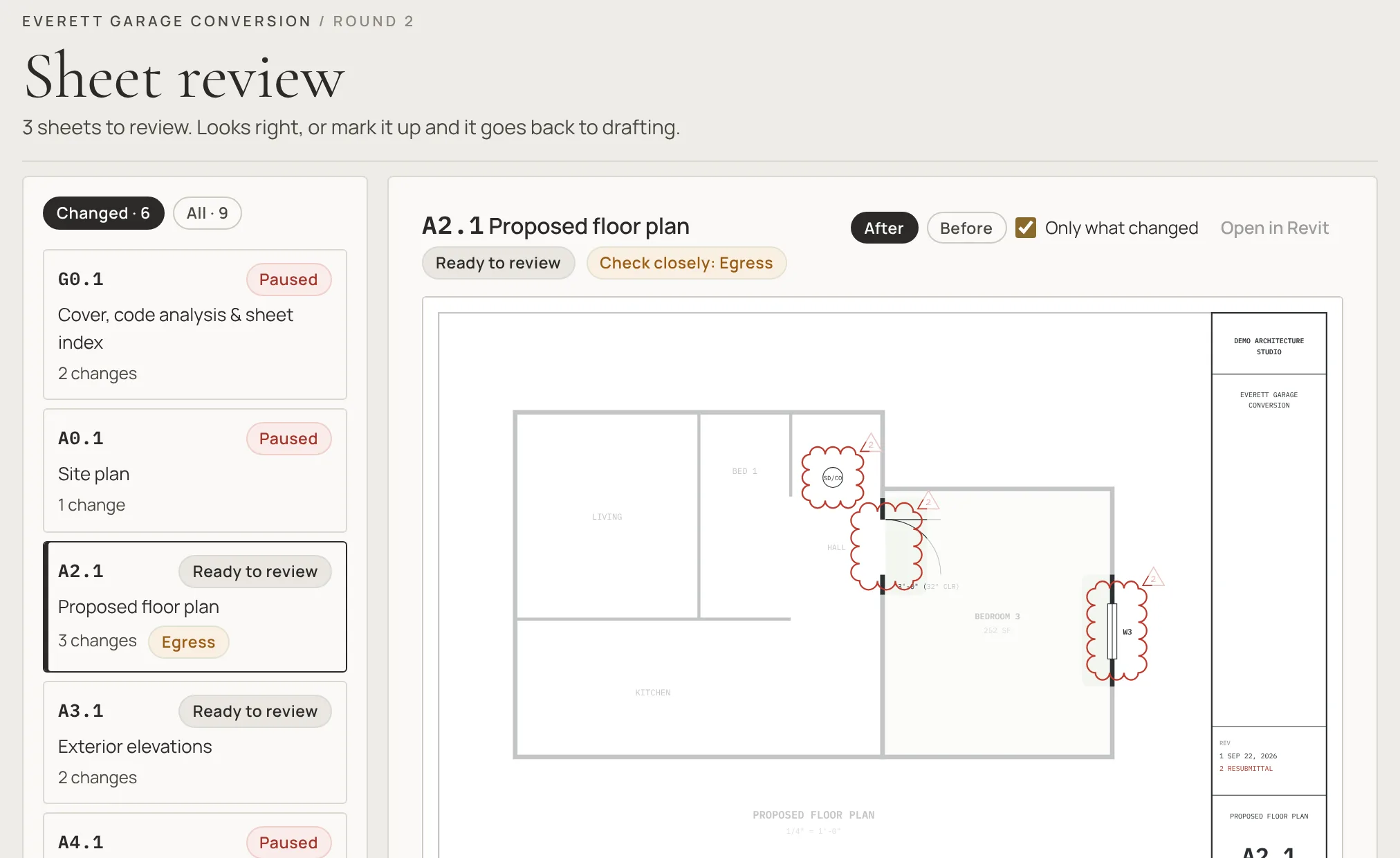
Every finished set, checked before you see it.
When a set is done, Pretiva prints it and checks every sheet against the code, the city’s rules and your graphics standard. The findings become a new dated list on the project, and what it can fix on the sheets goes back to drafting overnight. Then you review: before and after, only what changed. (A screen from the app.)
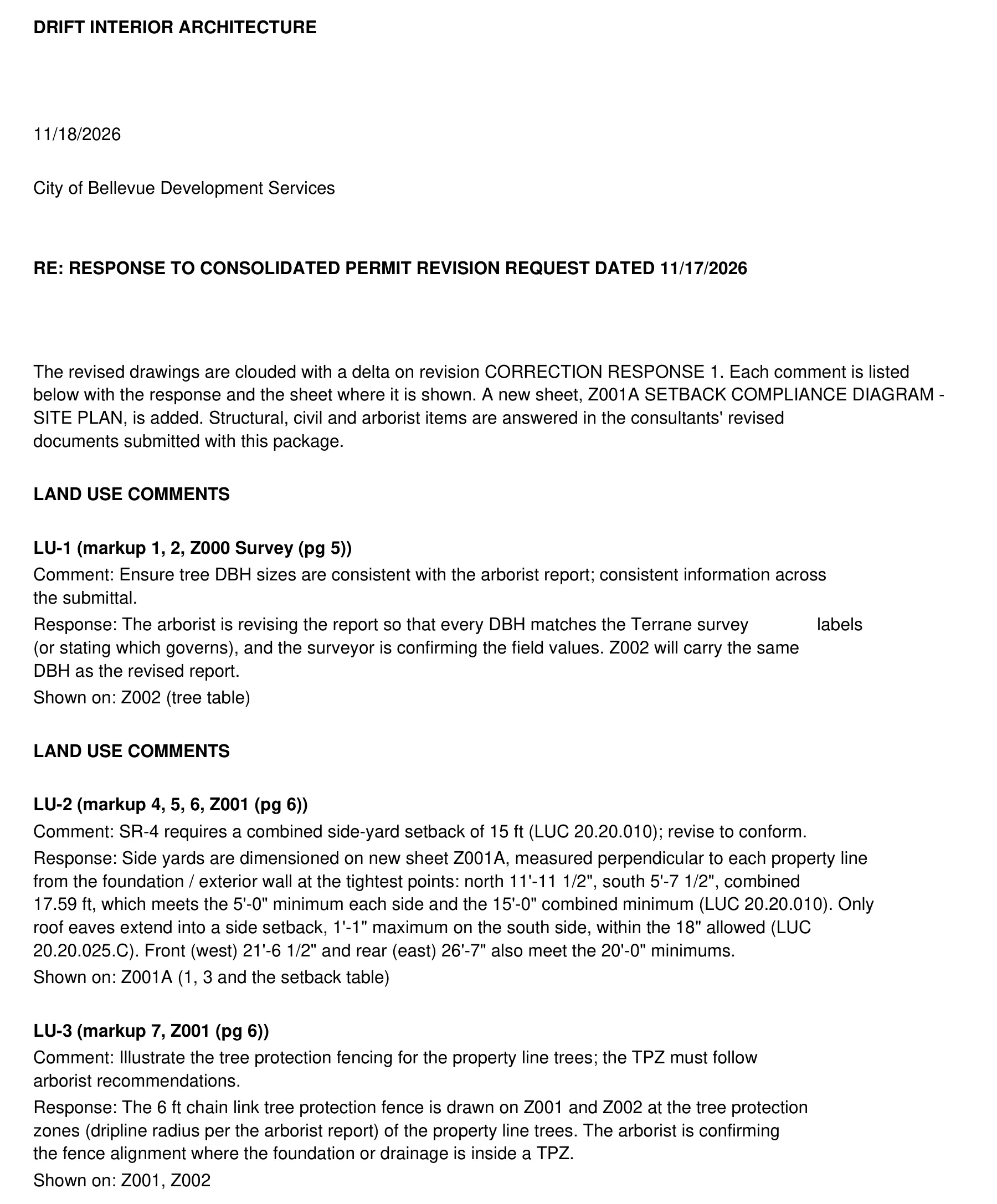
The city’s comments, answered one by one.
A real correction round from the City of Bellevue, this week. Each comment is quoted, answered with what changed, and tied to the sheet it’s on. The letter is drafted once every comment is answered on the drawings, for your team to check and send. Client details removed.
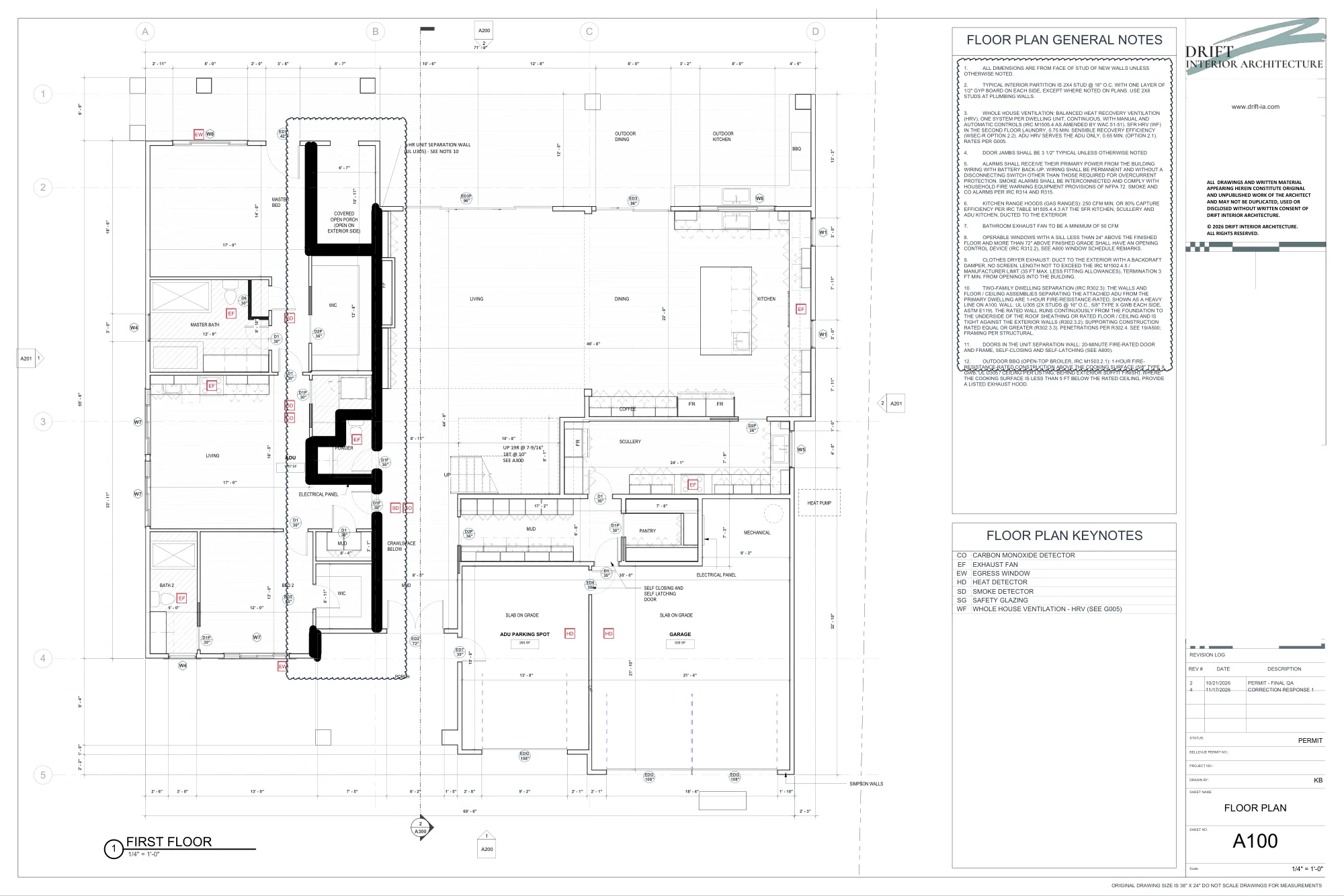
Every change clouded, on the sheet it names.
The same project’s revised floor plan: the relabeled covered porch, the unit separation wall and the new general notes, clouded on revision “Correction response 1”. Nothing goes out until every check passes; you issue it, Pretiva never stamps, signs or submits.
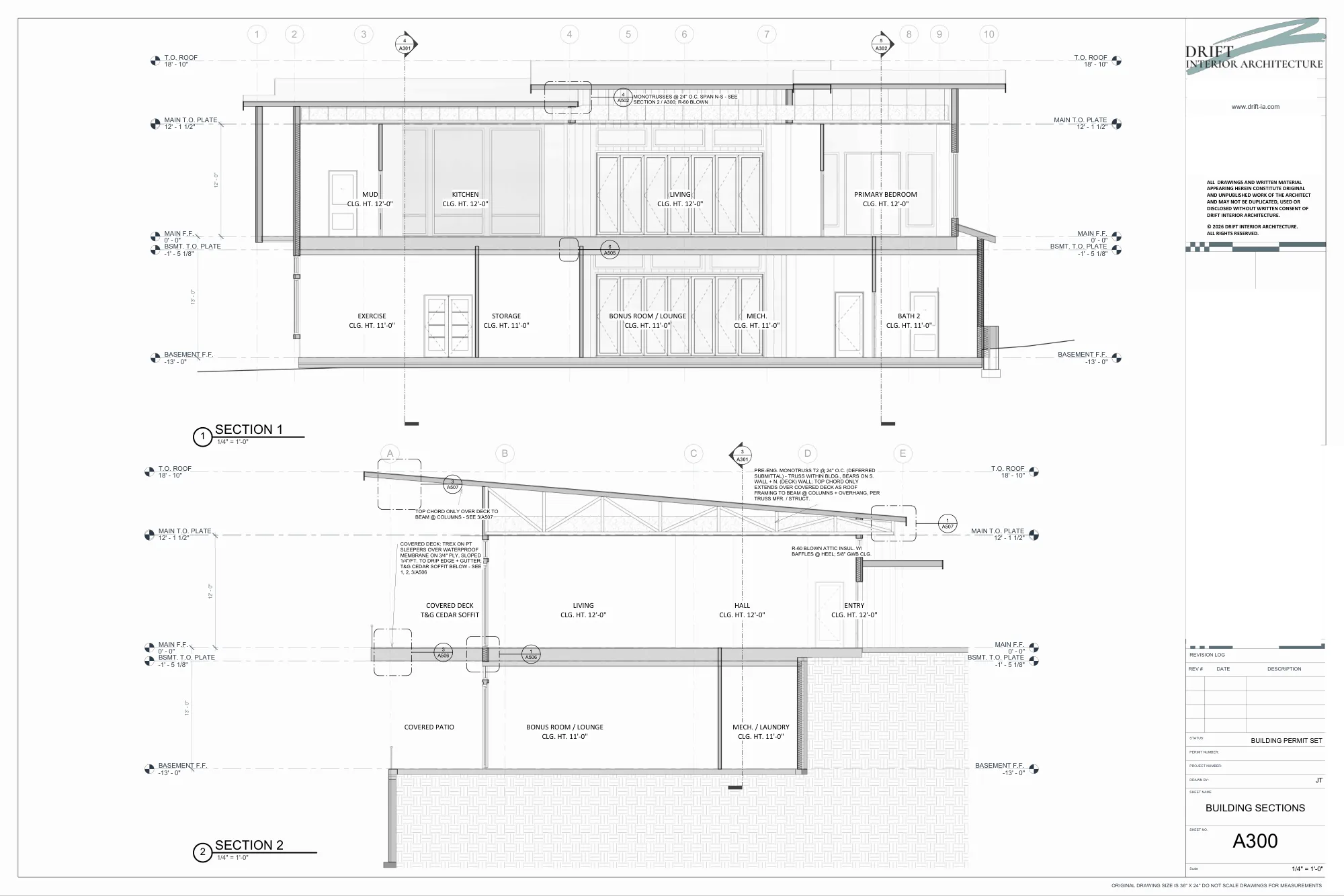
What comes back: sheets to your standard.
Building sections from the first project’s permit set. Your team reviews and redlines every sheet, and a licensed professional stamps it where the city requires.
Try it on your own project.
The trial pack drafts a few sheets of your own project in your own Revit and checks one full set, with a 20-minute setup call. If it doesn’t draft something useful, we refund the $75. Or start with a free set review: no Revit needed.
- Full Revit 2025–2027 (not LT) on a Windows office computer
- The office computer left on while it drafts
- The AI that drafts: your own Claude plan, or Pretiva drafting credits
Questions? Email support@pretiva.io or book a call.